Help and support
Find the right answer to your products, invoices, and much more, through our search feature
eSIM for Smartwatch
Whether you're setting up your smartwatch with the Lebara smartwatch double option — an eSIM designed for smartwatches — or looking for answers to common questions, we’ve got you covered.
Stay connected anywhere:
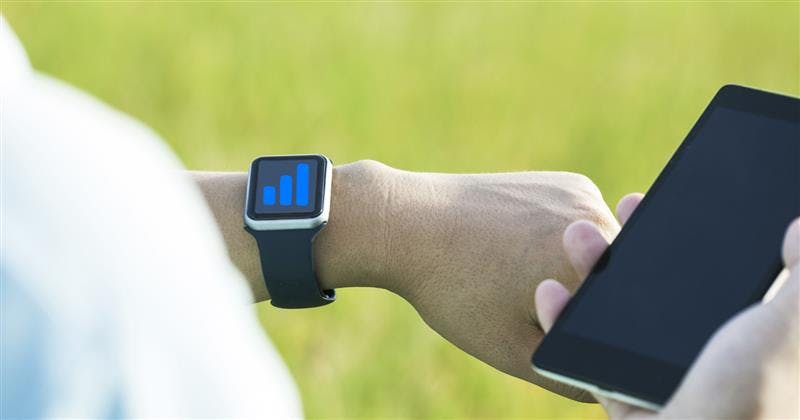
With a cellular connection on your smartwatch, you can make calls, reply to messages, receive notifications, and more — even while you’re away from your phone.
Activation on your smartwatch
How do I activate the eSIM on my Apple Watch?
① Ensure your smartwatch is already paired with your phone. (It's faster if you skip setting up the mobile service during the initial pairing and complete the mobile service set up later in a second step.)
② On your iPhone, open the Apple Watch app.
③ Tap the My Watch tab, then tap Cellular.
④ Tap Set Up Cellular.
⑤ Follow the on-screen instructions and and tap Activate now to activate the option and complete the setup.
⚠️ Please note that Apple smartwatches can only be paired with iPhones.
How do I activate the eSIM on my Samsung Watch?
① Ensure your smartwatch is already paired with your phone. (It's faster if you skip setting up the mobile service during the initial pairing and complete the mobile service set up later in a second step.)
② On your phone, navigate to and open the Galaxy Wearable app, and then tap Watch settings.
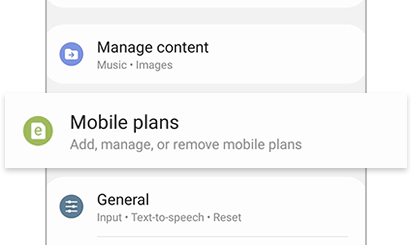
③ Tap Mobile plans; the app will begin scanning for an eligible LTE network.
④ Follow the on-screen instructions and and tap Activate now to activate the option and complete the setup.
⚠️ Please note that Samsung smartwatches can only be paired with Samsung smartphones.
Questions and Answers
Is the Lebara smartwatch eSIM compatible with my smartwatch and my plan?
You can use Lebara smartwatch double with all current Apple and Samsung smartwatches that have mobile connectivity.
The Lebara smartwatch double is supported on all Lebara mobile plans, with the exception of prepaid.
⚠️ Please note that Apple smartwatches can only be paired with iPhones, and Samsung smartwatches can only be paired with Samsung smartphones.
Can I use the same phone number on my smartwatch and smartphone?
Yes! With the Lebara smartwatch double option, you use the same number on your mobile phone and on your smartwatch.
⚠️ Please note: To activate the option in My Lebara, you first need a mobile plan from Lebara.
Can I receive calls and messages on my smartwatch even if my phone is not nearby?
Yes, if your smartwatch has an activated smartwatch eSIM (Lebara smartwatch double), it also works independently of your phone, which is the main advantage of getting an eSIM for your smartwatch.
I already have an eSIM from Lebara; can I use it for my smartwatch?
No, for your smartwatch, you need Lebara smartwatch double.
Can I use my smartwatch abroad via roaming?
Of course! With Lebara smartwatch double, you benefit from the same roaming advantages as your linked mobile plan, including active roaming options.
How can I cancel the smartwatch eSIM, and what is the notice period?
You can deactivate the Lebara smartwatch double option at any time before the end of the month via the cancellation service, so that it does not continue on the 1st of the following month.
💡For more detailed information about cancellation, please visit our Cancellation page.
I have more questions. Who can I contact?
Use the chat pop-up window at the bottom right of your screen to chat with us. You can also call us on 0900 480 000 (CHF 1.50 per call).